Why a Spreadsheet Drops the First Zero
In a list of identifiers, 00127 can be a different label from 127. Preserving the distinction starts before import, when the spreadsheet decides what kind of value a column contains.
In this story 5 sections
Two boxes arrive in a fictional stockroom. One carries the part code 00127 and the other says 127. The labels have been kept separate all the way from the supplier. Then somebody opens a list of the boxes in a spreadsheet, and both rows seem to show the same part number. The spreadsheet may have done an ordinary thing with a number. The stockroom had given it an identifier instead. Nothing about the five characters made that intention certain until the column's type was made explicit.
Microsoft's guidance for Excel explains that numerical-looking strings may be converted, dropping leading zeros or affecting long identifiers. Its suggested approach for values that need to keep their form is to treat them as text. Versions and import features differ; the basic distinction does not. Some columns contain values a person wants to add or compare by magnitude. Others contain labels that happen to be written with digits.
Ask what can be done to a value without changing what it is
An integer value of one hundred twenty seven can be written with extra zeros to its left without changing its numerical magnitude. A part code can change identity when those characters are removed. Neither use of the characters is more natural in isolation. The surrounding work tells the importer what they mean. Add the values in a quantity column, and the result can answer a question. Add all the values in a shipment identifier column and it is difficult to say what the result describes.
This is a useful test when setting up a workbook. Ask whether 00127 should match 127. If the answer depends on a code system that preserves every character, import as text where you have the option, and agree what a valid code looks like. If a column truly contains quantities, numerical conversion may be desirable. The two columns can appear beside each other without needing a common interpretation. A tidy grid is not a reason to treat all its digit strings alike.
Phone numbers, postal codes and other identifiers can pose similar issues, but do not assume they all use a fixed length. A plan that turns every value into a five character display can be appropriate for one documented code system and wrong for another. A number may also include characters such as punctuation or spaces as part of a recognised presentation. Decide whether they belong to the stored identifier or merely to its display before removing or adding them.
Appearance is not the underlying value
A sheet can display zeros with a custom numeric format. In a fictional workbook, a numeric 127 might be shown as 00127. That is useful when a known presentation requires a minimum width and the cell is intended to remain numerical. It is a different operation from retaining the text 00127. Another program receiving an export or reading cell data can treat the underlying value and formatting differently depending on how the data is passed. Inspect the representation that the next step actually consumes.
The distinction is clear when two labels of different width have already been collapsed. If both were converted to the number 127, one fixed format cannot tell which row originally had two zeros and which had none. It will format the same value in the same way for both. Changing a column to text after conversion also does not recreate information that has been lost. Recover it from the source or from a trustworthy record that maps the exact labels.
That makes a preview before import valuable. Compare an item from the source against the result before building calculations or matching tables. Include an example with a leading zero, an example without one and a long string if the system uses one. The best test makes a conversion visible immediately, rather than relying on the first row of production data to contain the awkward condition.
A CSV does not automatically tell another program your intent
A CSV file can separate fields and include values that consist of digits. Its quoted fields deal with representation within the file, such as including commas or line breaks in a field. Quoting alone should not be relied on as a promise that every spreadsheet will treat a field as text. The CSV description in RFC 4180 concerns the format of records and fields rather than a general method of declaring spreadsheet cell types. The importer can still be the place where a choice about interpretation is made.
Suppose a file opens automatically in a familiar application and the displayed rows seem plausible. The process used to open it might have inferred types. A deliberate import can offer controls for column types, as Microsoft's guide describes for supported workflows. Use the controls that apply to the version and path in question. Merely changing a file extension or making the display look right is a poor replacement for checking what value was retained.
There is another issue when a file is handed on. A CSV produced from a workbook may not carry the workbook's presentation or column settings to the next application. A short data description can say which columns are identifiers and whether zeros are significant. A reader can then open a sample and check specific values in their destination. This is more durable than relying on everyone to repeat a particular sequence of clicks without knowing what it was intended to preserve.
Long codes may lose more than their display
A number shown in scientific notation can look less familiar without having lost information merely because of the way it is displayed. Excel's guidance nevertheless explains that automatic conversion of long numerical text can exceed its numerical precision and change retained digits. A long identifier should be inspected as text from the original if the exact characters matter. Do not tell a reader that they can recover altered digits by widening a column or showing more decimal places.
A laboratory sample code offers a neutral example. Suppose the last few digits distinguish adjacent labels, and both codes are much longer than an ordinary count. An arithmetic value that has lost the differences between them is not a safe lookup key even if a formatted display stretches to the expected width. Checking against the printed labels or original file is better than reassigning names from neighbouring rows. The financial or administrative consequences of the wrong join might be far larger than the tiny visual change that introduced it.
Preserve the value before comparing it
Here is a small import rehearsal. Make a text file with a header for code and units, one row with the code 00127 and quantity 3, and another with the code 127 and quantity 4. Keep the text file for comparison. In a deliberate import, check that the code column is treated as text and the units column is numerical. A useful result can add the units to seven and still retain two different codes. If a proposed data cleanup makes it impossible to do both, it has erased the very distinction the stockroom needs.
Follow the result one step farther than the first workbook. Suppose the lookup table still holds 00127 as text. A newly imported number can fail to match it or be compared with it differently depending on the software and operation. The apparently correct result of matching 127 can also belong to the wrong row. A test should use two cases with known expected matches, rather than checking only whether a formula returned something. Save the original strings when practical until the comparison has passed.
The same approach helps if a user chooses to add zeroes for presentation. A numerical container count may be printed with four digits for a form and remain a count. A serial number which already has a defined sequence should not be padded by analogy with that count. Give the distinction a short explanation in the data description: counts are numbers and formatting is display; codes are stored as their original characters. It helps the next person know which sort of verification to repeat after exporting or importing the data.
Check a result after reopening a saved test file with the same tool the recipient will use. A preview of the workbook before export gives no assurance about the later import. If the code gets changed at that stage, retaining the source provides a path back without guessing.
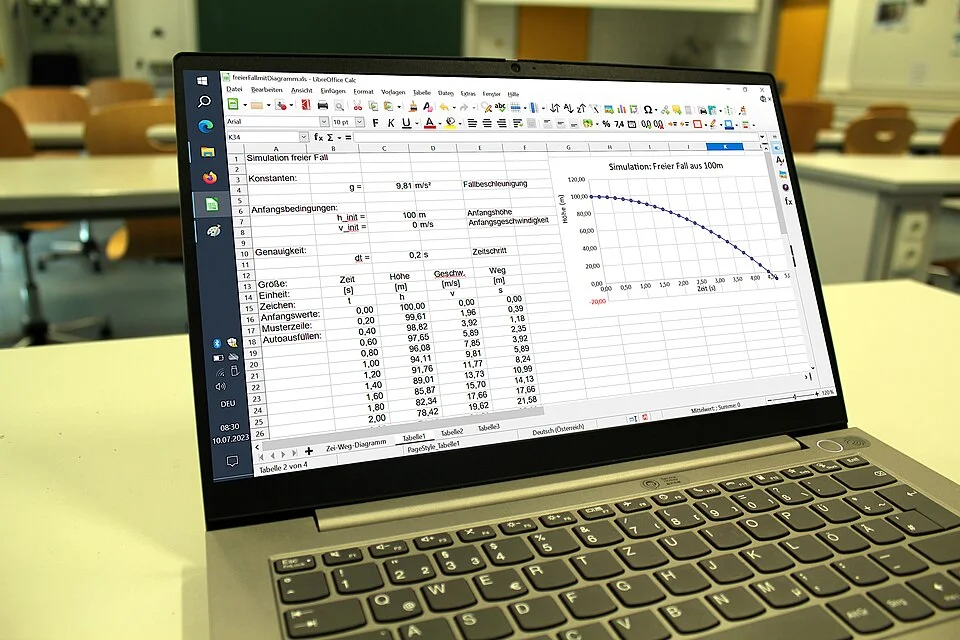
The spreadsheet in the cover photo illustrates how naturally values, charts and labels share one screen. Nothing about the picture establishes how its own columns are typed. That is exactly the point illustrated by the fictional stockroom. The tool can do calculations and organise records in the same place. A person has to tell it which column to treat as which type for the task at hand.
When a match seems wrong, check the source string, the retained value and the displayed form in that order. If 00127 and 127 are supposed to be different, it should still be possible to identify which one came in on each line. Only then is a lookup or duplicate check doing the work intended. The zero at the front is one digit in a small visible space. Depending on what was recorded, it can carry much more than that space suggests.