The Chunks Inside a WAV File
An audio recording has to tell a player how to group and time its samples. Inside a common WAV file, one piece carries that description and another carries the sound data.
In this story 5 sections
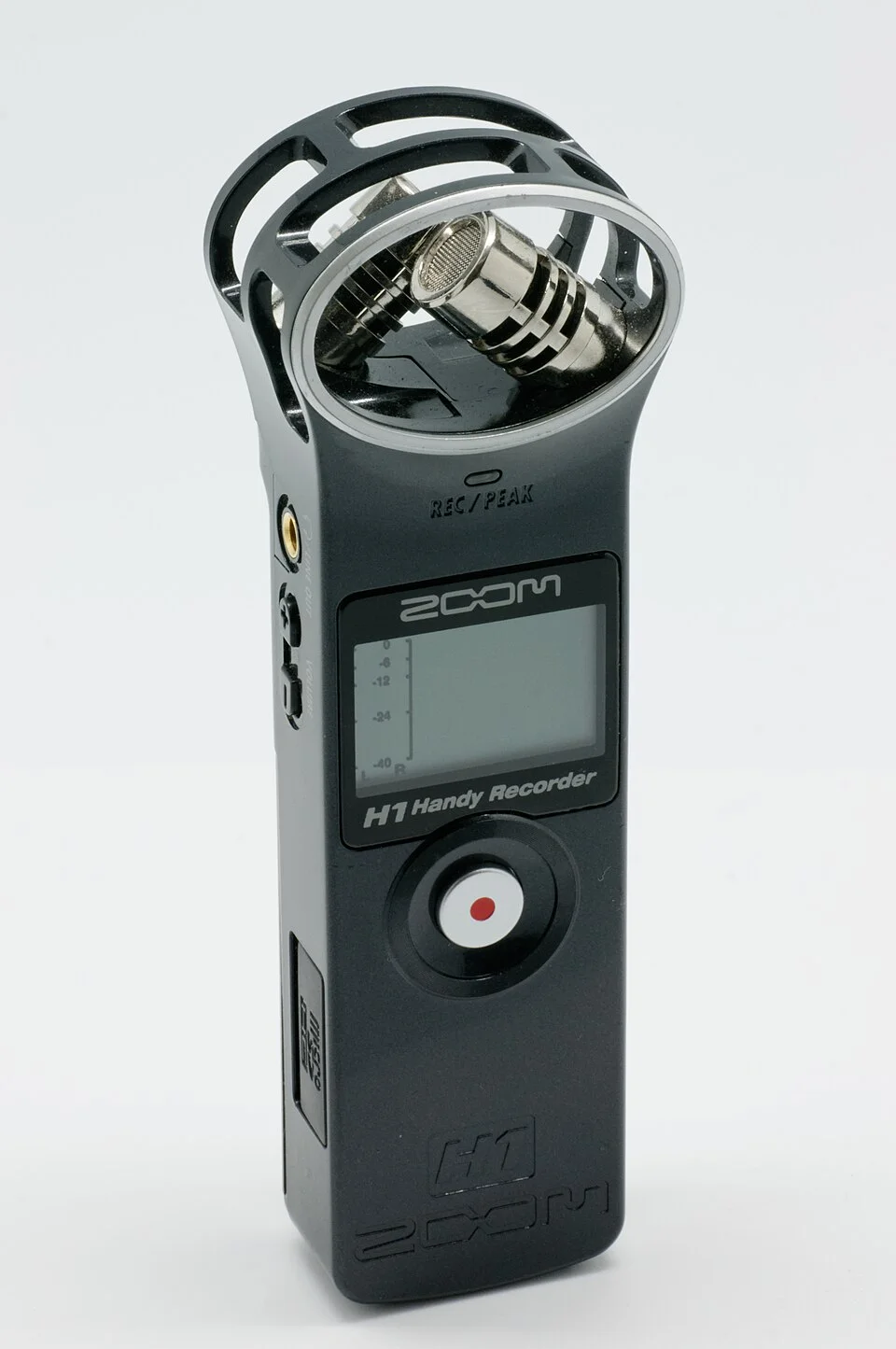
The handheld recorder in Marie-Lan Nguyen’s photograph has two small microphones meeting at an angle. Under them are controls and a display. Press a button on equipment of this sort and a short stretch of sound becomes a file that can go to a different device. The other device does not have to see which recorder made the file or how the microphones were positioned in order to play it. It needs to know what the saved values represent and how quickly they should be presented in order. A recording format can carry those instructions and the values themselves as two distinct pieces of information.
Many people first meet the format as the letters WAV at the end of a filename. The letters are a good hint. They do not tell someone the sample rate, the number of channels or what sort of audio encoding to expect. In a familiar WAV layout, the file starts by identifying a structure based on RIFF, the Resource Interchange File Format. It then identifies WAVE as the kind of material organized inside. Different parts of that material are marked as chunks, with tags that let a reader tell descriptions from audio. That difference is the reason a player need not guess from a long series of numbers.
Read the label before looking for the first sound
In RIFF, chunks have identifiers and byte counts. Giving each a size lets a reader work out which portion belongs to it before trying to interpret everything inside. A chunk can be skipped where its content is optional and unknown to a particular reader. There is also a convention that aligns chunks on an even boundary with a padding byte when needed. The pad is not another byte of useful payload. Its existence is decided from the size and the surrounding format rules. A reader treats boundaries as part of the structure rather than trying to infer them from what a sequence of sound samples looks like.
A typical WAVE file has a format chunk whose identifier is commonly displayed as fmt. The actual four-character code has a space in the fourth position. There is a separate data chunk. Microsoft’s reference identifies these by their different roles. The format chunk says how audio is represented. The data chunk carries that material. A player must relate the two to hear anything meaningful. A series of values alone does not tell the reader whether every pair belongs to the same channel at successive times or to two channels at one time.
That relationship explains why a simple fixed offset is a poor general description of where every WAV starts its audio. A writer can put additional chunks in the container. Some may have descriptive information or serve particular applications. What counts as the sound data must be located by following the file’s structure and the applicable rules. A word such as header is fine shorthand for the material the player needs before playback, but can obscure the fact that there is more than one layout for the pieces a reader is able to find.
One sample is not necessarily one instant of the whole recording
Take a simple example in which the audio consists of uncompressed integer values. Suppose there are two channels and both are sampled 48,000 times per second, using sixteen bits per sample. In an ordinary interleaved representation one sample from each channel belongs to a given sample frame. The next such frame gives the next time position in both channels. At sixteen bits apiece, the two values occupy four bytes per frame. Multiply by the frame rate and this example needs 192,000 bytes of audio payload per second. A full minute contains 11,520,000 bytes before accounting for the surrounding file structure.
The arrangement matters as much as the arithmetic. Interpret a two-channel stream as if its two successive values were separate times on a single channel and the spatial and temporal relationship of the recording changes. Keep the channel grouping correct but use the wrong sample rate and the same set of frames is read at another speed. The file still contains the same stored values. The description supplied to the decoder determines what they add up to as an audio event.
Bit depth can be another source of confusion. The bit depth in this example determines the representation of each sample. It is not itself the number of sample frames passed per second. The byte rate combines decisions about representation, grouping and timing. For one quick storage estimate, it is possible to calculate an expected data size for a recording with known uncompressed settings. That does not turn every file of the calculated size into a valid recording, nor does it make every WAV file use the assumed settings.
Duration can also be approached in reverse. If the example had exactly 192,000 payload bytes, there would be enough material for 48,000 complete frames, or one second at the stated rate. Looking at the total size reported for the file would include the framing information and could include other chunks. A duration derived from bytes should start with the audio portion, and the calculation should follow the encoding actually described. For other WAV encodings the relation may be different.
A container is not a guarantee of one encoding
The example follows a common pulse-code modulation layout, often abbreviated PCM. A WAVE container can carry audio represented in other ways. The format tag and the details that go with it tell a reader what kind of decoder it would need. Software that can interpret a basic uncompressed file does not automatically know how to handle all the encodings someone might put inside the same sort of container. Two files can have the same extension, well-formed descriptions and different chances of working in one particular player.
The storage calculation also changes when the representation changes. A different encoding can use its own relationship between blocks, duration and size. Even within uncompressed audio, a change to the number of channels or a move to a different sample size changes how much data is needed to carry the same time. Before recording hours of material for a project, a person can make a short sample and check it from the software that will actually receive it. This is a much narrower test than asking whether everybody involved recognizes the extension.
It helps to distinguish playback support from suitability for later editing. One application might happily listen to the file but omit optional information when it saves a copy. Another might keep values a project uses to locate a cue while producing a different audio representation. Those are choices made while writing a new file. Give the receiving application an opportunity to show how it interprets the result instead of guessing from its name on disk.
When the description and the result disagree
Suppose a recorder is used to capture a ten-second spoken marker. On a computer it appears much shorter than expected or plays strangely. One possibility is that the wrong file is open. Another is that an intermediate operation exported at different settings than intended. Before trying to change an arbitrary part of the file, identify what was actually delivered: its duration as reported, its sample format and its channel count. Compare the original file, if available, with the copy that produced the problem. The difference between those records can put attention on a particular step rather than on the sound captured at the microphone.
The optional material in a file deserves the same handling. A field that can be left out without damaging sound playback may still matter to the person matching it to a larger project. An archive can keep the original so that future tools have access to the descriptions actually stored with the recording. A working copy can be prepared for an application that expects simpler contents. The two have distinct purposes, just as an image displayed by a player differs from the values and identifiers saved on disk.
A badly reported duration does not show by itself which portion of the file is wrong. To read the evidence, consider the format description and how much audio a reader was able to find. This is another practical advantage of thinking in chunks. A player can fail to recognize a file, recognize its general type without supporting its encoding or play only what it can interpret. Those are different results. A short note saying which of them occurred is more helpful than saying the file was or wasn't a WAV.
See the whole recorder differently
The microphones in the photograph turn changing sound into something a recorder can handle. The file has a second translation to do. It must supply a later machine with enough information to use the stored result. The audio values describe a sampled signal; the format information describes how a reader should take those values. Each would be less useful without the other. A recognizable extension hints at their association without explaining it.
The next time a WAV file passes between devices, the most practical question is not just which folder it belongs in. Ask what its format chunk says, what the data represents and what the receiving software expects. Once those agree, the microphones and the recorder can remain somewhere else while the recording is heard in the order and at the rate its file preserved.