What an EPUB Opens First
The files inside an EPUB do not need to be stored in reading order. Its package document, navigation and reading app each have a say in what happens when a book opens.
In this story 5 sections
A training manual looked right when opened from its cover. At least that was the verdict in a fictional test: the title was legible, the first chapter appeared and the diagrams loaded. Then a tester chose Chapter Four from the contents and landed in Chapter Five. The two observations describe the same EPUB. There is no single order in which every part of the book has to be reached. Turning from page to page and asking a table of contents for a named destination are two different actions.
An EPUB is a packaged publication. It can contain text documents, images, styles and information about how those pieces belong together. A reading app has to interpret the package and give a person ways to move through it. The filenames can be meaningful to an editor yet have no independent authority over which chapter appears next. The archive is the thing that holds the materials; the package and links describe what to do with them.
Three lists that need not be identical
The EPUB 3.3 specification distinguishes a manifest from a spine. The manifest is an inventory of publication resources. An image or style sheet belongs there because the book uses it. The spine refers to items in that inventory and supplies a default reading order. A chapter can display an image without requiring that the reading app treat the image file as another chapter. That division is a useful reason to keep an inventory and a reading sequence separate.
Now add the navigation document. Its contents list can link to a named section inside a chapter rather than to the beginning of a separate file. It may be perfectly reasonable for a small technical book to contain several named sections in a single document while providing a deeply nested table of contents. It is therefore possible to have one entry in a default reading sequence and many visible choices in the reader's menu. Copying the spine into the table of contents without regard for headings would lose useful destinations.
A crew reviewing a short publication might sketch these three lists on paper. In the first column goes everything the book needs. In the next goes the sequence reached by going forward. In the third go choices a person can make by name. A missing cover illustration belongs to a different kind of investigation from a chapter that appears after the wrong one. A wrong menu target belongs to a different investigation again. Treating all three problems as an unordered pile of files wastes the advantage of the package.
Put the first opening into a small test
When a reading app opens a new book, the first visible screen can depend on how the app starts a publication and what the publication declares about its content. There may be a cover, title page and other front matter. An app can also reopen a stored reading position rather than start a title from scratch. If somebody reports that the book always opens in the middle, find out whether they are using a fresh copy or revisiting one they already opened. The spine is evidence about order; the app's previous state is evidence about one session.
Take a six-part book in which a title page appears before the preface and chapters. Open it in a reading environment where it has not stored a position. Note what is shown and advance through the first few transitions. Close it later and reopen it. Report those two cases separately. A reading system that remembers where somebody stopped can behave as intended without presenting the first screen that happened to appear on the fresh test file.
The same test can distinguish between a cover displayed on a library shelf in the reader's interface and a cover displayed as a page in the book. A small shelf tile helps the user select an item. A page in the reading sequence is encountered inside the publication. They can use the same artwork and still be configured differently. A clear issue report should say whether the artwork is missing from the library view, reading view or both.
A page depends on the reading conditions
Many EPUB books use reflowable layout. Text can fit a different number of words per line or per screen when the user chooses a larger type size. A change in the width of a window can change the apparent page count without removing a chapter. W3C also describes fixed layout, where the creator specifies a different relationship between content and pages. Fixed layout is useful for certain materials where placement matters. It is not a requirement merely because somebody originally produced the text as a print edition.
A compact book might mark the end of a section at a particular sentence. The line may end halfway down a page on one reader and near the top of the next screen on another. The sentence and the named section have not changed. For an editor comparing versions, a time-saving report names a chapter and heading or quotes a short identifying phrase rather than relying on a generated page number alone. The reader can then decide how to display that part of the text.
A reading system can also provide a scroll or paginated view depending on the publication and its implementation. This is an important difference when a publisher checks only a stationary preview. A wide line may work on a tablet and require substantial wrapping on a phone. A fixed-width figure can crowd a short display while being legible at a larger size. Try each important presentation in an environment where the reader can alter settings; a site intended to distribute the file may not supply the same view as the person opening it at home.
A visible link is only half an address
Return to the training manual whose contents jumped from Four to Five. A useful report identifies the item displayed in the contents list, the part that opened and what should have opened. If the file is available for inspection, the destination can be checked independently of the label. Both may look similar enough to pass at a glance. A heading copied into a menu and the destination assigned to that heading can drift apart when a chapter is moved or renamed.
There is another kind of test when the target is inside a chapter rather than at its top. A click might open the right chapter and still leave someone many screens before the heading they asked for. For a long manual that is a meaningful failure. Specify the actual named place. Conversely, if one app opens successfully and another does not, use both observations. They can point to a packaging, content or reading system difference, depending on the evidence. A label such as broken everywhere discards the most valuable part of that comparison.
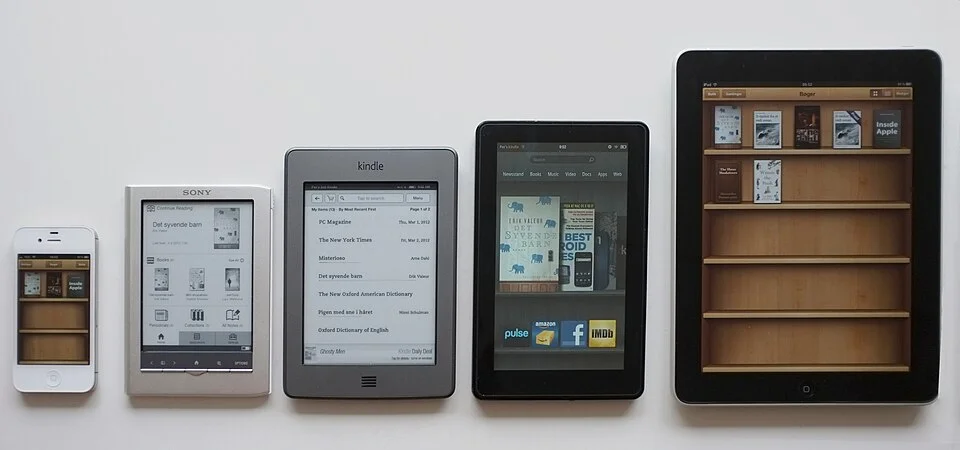
Good tests do not require every reader to share the same furniture. Open the contents in the app's controls and try a destination near the middle. Follow a link in the text if the publication provides one. Advance across a chapter boundary with the normal reading gesture. Entering the book in more than one way is precisely the point. The exterior devices in the cover photograph also need not be shown to use the same file to illustrate it: electronic reading takes several forms before the contents even open.
Check the reading path after the files are packed
One more corner case is material that is useful but not intended for a continuous first reading. The specification's spine items can distinguish the main sequence from supplementary content. A glossary, for example, may have an obvious destination from a named link even when an app handles it differently from the chapter that follows. Test such a link and the return from it. Someone who follows a definition halfway through a long chapter ought to be able to recover the place where the question arose. An app's history controls and a deliberate link in the book are separate ways of giving that route back.
If a textbook needs to preserve references to an existing printed edition, a page list can record endpoints with named labels. Such labels need not match the number of screens created by a reflowing reader. A report of an error should clarify whether the displayed marker is drawn from the publication or from the app's generated pagination.
File validation and reading are both useful. A check against a format can identify a missing resource or a package error. A reading test can reveal that two nearly identical titles were entered in the opposite order or that a target directs people to the wrong section. Nothing requires the wrong heading to look visually broken. On the contrary, the least helpful mistake may be one which looks perfectly finished.
For a release test, choose a list of things a reader will want to do: open fresh, resize text, jump to a middle chapter, follow a link and resume after closing. Take notes by action rather than writing one verdict for the whole book. If a chapter appears when reached in order but not from the menu, the useful clue is the difference. EPUB makes those paths possible in the same package. Keeping them distinct is how a repair finds its way to the piece of the book that needs it.