The Little Lock on an SD Card
The slider on a full-size SD card is read by a compatible host. Its position, support in the reader and the reason a volume is read-only are separate things to check.
In this story 4 sections
The lock does not look very much like one. On the side of a full-size SD card is a small sliding tab, easy to move when the card is in the hand. Once the card is seated, the tab is no longer in view. One might imagine the slider opening or closing a connection inside the card. The SD Association's description gives the mechanical switch a different job. It indicates a position for the host system to detect and respect. Reading the signal is part of the reader's role.
That distinction is useful when someone encounters a read-only card. The intended behaviour can be checked at more than one point. There is the physical position of the switch. There is also the hardware capable of recognising it and the software that applies the relevant rules. Still other conditions can prevent writes without much relation to the tab. The little shape is worth inspecting, but it should not be asked to explain every refusal.
The contacts and the case do different work
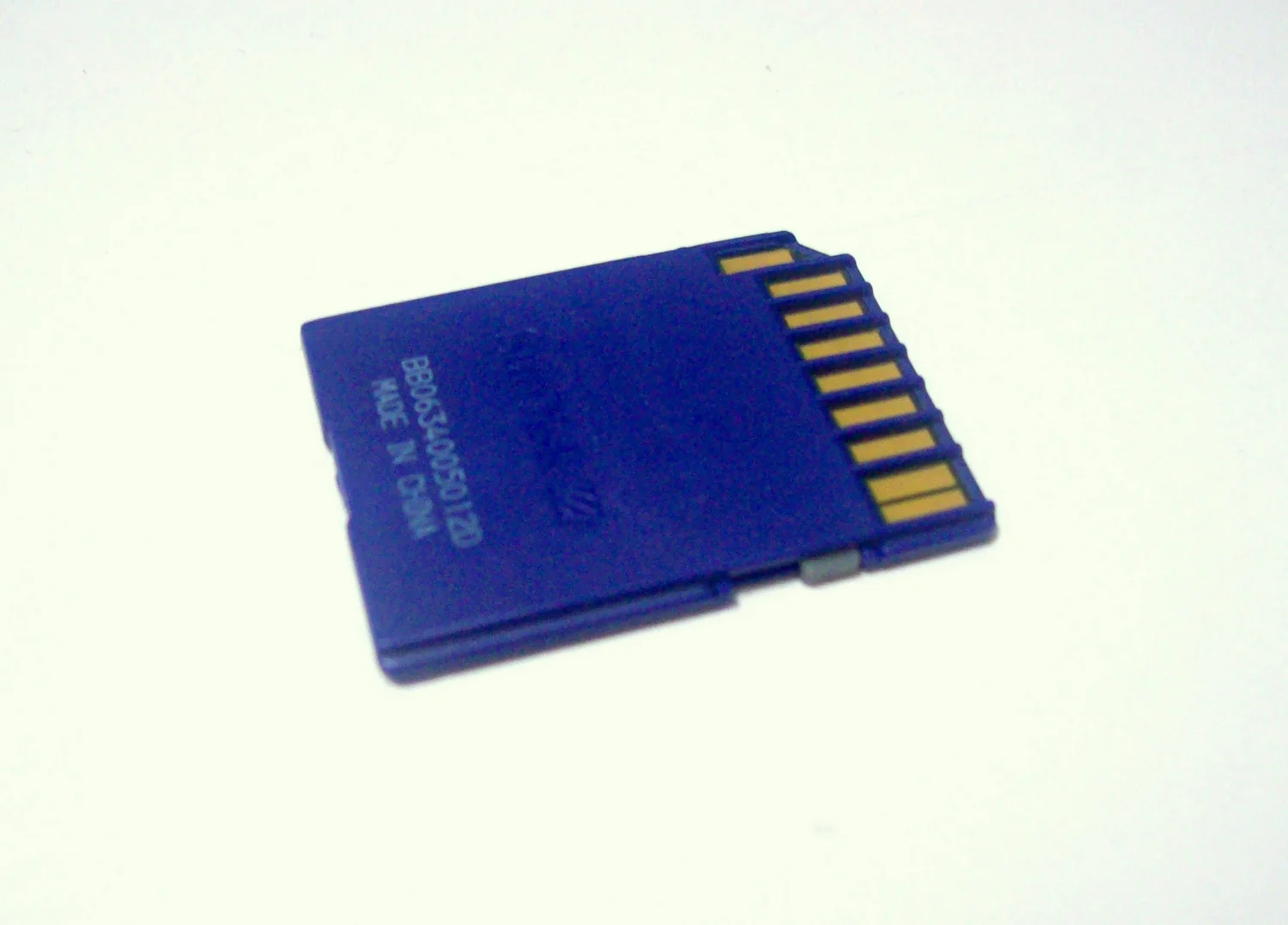
Look at the photograph of the card. A group of exposed contacts makes the electrical connection. The side of the plastic case includes the mechanical feature. They do not have to do the same job just because they are on the same object. The specification puts detection of the mechanical write-protect position on the host side. The slider provides a physical state that a suitable socket or reader can recognise. The card's storage circuitry does not need to treat movement of that tab as an internal electrical instruction.
A sensible model uses two drawings. In one, show the contacts that allow a host and card to communicate. In the other, show the edge by which the reader can sense the stated position. The host reads the condition and can refuse operations accordingly. A label on a card might show the direction in which the user should move the tab. Its location is evidence of a mechanical design, not an independent record that a particular reader detected it on a particular attempt.
The distinction can also help when a small piece slips or feels unusually loose. Removing and inserting a card might change the position of a poorly held switch. A consistent refusal in one reader and different behaviour in another is an observation about a combination of equipment. It does not identify one part as broken without further evidence. Physical condition, reader support and the messages shown by the host all belong in a useful report.
A small card can ride in a larger shape
The SD Association's overview lists a write-protect switch on standard-size SD cards and not on microSD cards themselves. This can surprise a person who always handles a microSD inside a full-size adapter. A full-size case can have a sliding tab while the little memory card fits inside it. Looking for the same moving part on the microSD card after removing it confuses the adapter's physical features with the memory card's own form.
A ready example is a fictional camera owner with a microSD card already loaded into a full-size adapter. The case looks like an SD card from the outside. If the host reports the combined unit as write protected, check the documented characteristics of the adapter and reader along with the position of the visible tab, without assuming the smaller card itself has a similar lever. The model names and kinds of parts in use are useful evidence. The shape in a photograph and the makeup of the assembly can be different.
This is also why a question about a new adapter cannot be answered entirely by an image of the old one. Similar outlines can hide a different condition of contacts, a damaged tab or another manufacturing feature. A well described comparison keeps the card, adapter and reader separate. It is easier to reproduce an ordinary fault if each change is named rather than changing all the pieces and hoping a working result identifies the faulty one.
A system that cannot write may have another reason
A reader or operating system can refuse writes for reasons other than a tab. A volume can be mounted read-only, an application can lack appropriate permission, or storage can have problems that require attention. One error message may not distinguish all of those cases. Before treating a switch as broken, record where the refusal appears, what action led to it and whether normal reading is available. A label saying read-only is more useful when tied to what the person actually tried to do.
The specification also distinguishes the mechanical feature from other protection mechanisms within the card or setup. Those should not be treated as options that every user can change by moving the tab. In a workplace or another controlled setting, do not assume a prohibition is accidental. The legitimate procedure for checking a card depends on who owns the information and which protections apply. A write refusal can be a desired feature. It does not create a reason to override a policy.
A sensible first concern is preservation when the information matters. If a card contains the only current copy of important photographs, avoid experimenting with destructive actions simply because storage behaves unexpectedly. Follow the documentation for the equipment and where necessary obtain qualified help. Being able to read a folder is not proof that formatting it would make it a suitable storage device again. The intended result may be recovering information, not producing another writable card immediately.
A supplement to careful handling, not a security boundary
An ordinary troubleshooting exchange can begin with the exact wording of the message rather than with an attempt to make it go away. A camera might show a simple icon. An operating system might distinguish a read-only volume from an inability to save in one folder. An application could show a message about its own permissions. None of those messages becomes more precise merely by reporting that the card is locked. When appropriate, say which device showed the message and whether other operations on that same volume were possible.
A comparison with two documented readers can answer a narrower question than it first appears to. If a supported card operates normally in one and is unexpectedly reported read-only in the other, the difference concerns some feature of those combinations. It still does not prove that the card has no other issue. One reader may be used with an adapter while the other is not. Another may supply the status through a different software route. Record the combination used each time before comparing. Keep the original data intact and only use samples you are authorised to handle in the check.
The expected action when writes are deliberately restricted is to leave them restricted. For example, a person viewing a collection may be given a storage copy to read while someone else is responsible for producing an updated copy. A refusal at the reading station is compatible with that arrangement. Raising the question with the owner is more useful than treating the refusal as an obstacle. Turning to the meaning of the message preserves the difference between troubleshooting a reader and asking to change how a collection is managed.
There is a useful visual detail at the edge of a card read this way. On a photograph of the contact face, a faint piece of plastic can be harder to recognise than the shiny conductors. On an image taken along the edge, the small physical state could be easier to identify. That second view can be useful with an appropriate manual. It still names a switch position rather than confirming the operation of the reader beneath the surface of its enclosure.
The mechanical setting can be useful because a compatible host can respect it during routine use. It should not be treated as cryptographic protection or as independent evidence that the information is unaltered. The specification identifies where the responsibility for the setting lies. If an organisation needs to establish the integrity of a record, it should use procedures designed for that purpose. A small switch may complement a process. It cannot take on the role of documenting an entire chain of handling.
A storage problem can also appear to be solved for the wrong reason. Moving the slider could coincide with removing the device and reconnecting it. The reader and software might see a fresh initial state during the same action. If a problem later returns, keeping the original observations separate helps make sense of it. The practical description should include which connection was renewed, which switch position was intended and what the operating system reported before and after. None of those details promises that the card is in good condition.
The most valuable thing about the visible tab is that it gives a user a simple indication to try to preserve from one step to the next. The value of the indication depends on the reader that detects it and the host that acts on it. Treat the tab as one part of that conversation. When the result is unexpected, a report from the plastic edge, the assembly and the software can tell a much clearer story than the word locked by itself.