What Black Means on a Projector
The darkest rectangle a projection system can display depends on the room and the screen as well as the machine. An example with the lights on makes the distinction clear.
In this story 4 sections
At a small screening, the picture begins before anyone turns off the nearest light. The words at the start are bright enough. The black behind them looks like charcoal. On the house lights going out, the writing may still look very much like writing, while the space around it suddenly acquires a depth it did not have before. No one has replaced the film. The machine started with the same signal and has a different room in which to display it.
A projection screen reflects light toward the audience. Some of the light arrives intentionally from the projector. Some can arrive from anywhere else with a path to the screen, including reflections from surfaces in the room. On a white screen both kinds can end up in the view of a person trying to distinguish a dark scene from a very dark one. The relevant question is therefore somewhat unusual: how much light reaches the viewer from the area that the picture is supposed to make black?
Black in a file is only an instruction
An image can represent an area as black by giving that region a particular signal. A projector interprets it as a request for its dark output under the current setup. The physical screen does not receive a positive dose of darkness. There may be light from the projector even in a dark-looking area, because the optical system does not block every bit of it. There may also be light from a window, an illuminated sign or the rest of the picture after it has bounced off the surroundings. The word black refers to a setting in the source and to an appearance in the audience. These do not have to agree under every condition.
The same applies to a border alongside an image. Imagine a picture framed on an ordinary white screen by an unilluminated strip of the same material. In a dark room you may scarcely notice the strip. In a lit room it can show quite clearly, and the part of the picture intended to be equally black may still be distinguishable from it. Where does the additional light come from? A little test with a dark image occupying only part of the screen can make that question more concrete. Keep the room conditions consistent so that it has a meaningful answer.
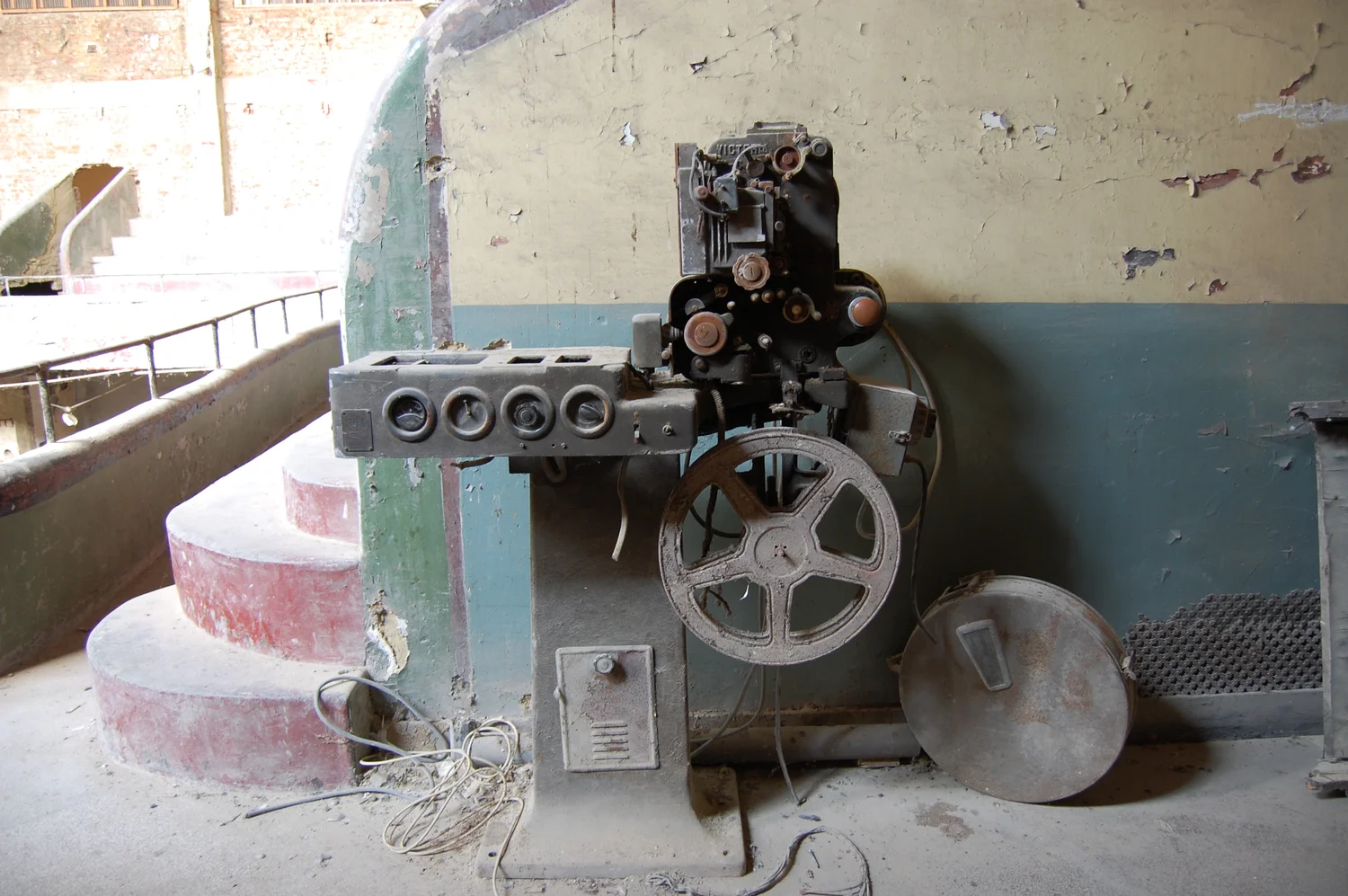
An old projector, such as the one in the cover photograph, encourages you to imagine light traveling from the booth to a specific surface. A home projector with a quiet flat case can hide that physical path so effectively that it starts to feel like a monitor. One difference is easy to rediscover. While the projector is off, watch the area of the wall or screen where the image will later appear. Any light you already see there can be a part of what competes with the dark portions of the image once the machine is on.
Use an intentionally small calculation
The contrast ratio compares the light from a bright region or state with the light from a dark one, according to a particular measuring method. For a simplified example, use arbitrary units and say that the display produces 100 of those units for a white patch and 1 for a black patch. The division gives 100 to 1. Now add light from the room that contributes 4 units to each patch at the viewing position. The visible white is 104 and the black is 5. Divide again and the example gives a little less than 21 to 1. White became only slightly brighter by this calculation while black became five times as bright.
There is no need to treat the fictional values as a prediction about your own screen. A real space need not add the same amount to every region. The screen’s surface and the direction of light matter. The simple calculation illustrates why people can disagree so broadly over how much room light makes a difference. A small additional amount is a sizeable fraction of the light coming from the dark part. The numerical pivot is in the denominator, far from the bright patch someone was looking at when they said the projector seemed plenty powerful.
This is one reason to compare contrast numbers with their stated method. A display of full white followed by a display of full black need not behave like bright and dark patches present at once. A projector can change its light output between scenes or respond in other ways to the overall picture. Reflections off the room also behave differently with different amounts and positions of light on the screen. A real scene can include bright detail inside a mostly dark view. Try to describe the situation whose outcome interests you before choosing which kind of contrast evidence to use.
The room can return some of the picture
A bright patch of projected image can light up part of a wall or a ceiling. Some of what arrives there can reflect back toward the screen. Once it reaches a comparatively dark area on the screen from another direction, it can make that area brighter than it would have been otherwise. No one needed to turn on an unrelated lamp. The same projected display has changed the lighting in the space that contains it. That is one reason scene content can affect how dark regions look even when every switch in the room remains in the same position.
If you are observing a wall at home, try the same arrangement in two safe lighting conditions. Do not cover an air vent, alter the machine or look directly into its beam. Watch for two different things: a broad change in the apparent darkness of all the near-black material and a local change concentrated near certain bright areas. The local change could involve room reflections or the optical system, among other causes. A single glance does not pin it on one surface. A reversible change in the available room light can help you determine how much of the difference is due to the surroundings you actually changed.
Screen material contributes a separate set of choices. Where a reflecting surface sends light depends on its design and the angle from which someone is looking. A view that seems pleasing from the center may look different from a place to one side. If several people will use the room, comparing different seats under the conditions they actually use can be more revealing than inspecting one patch of ideal white from the intended best seat. You can distinguish a problem that moves with the observer from one that stays fixed near a particular side of the screen.
A photograph is not a trustworthy report of the room’s contrast unless its exposures are controlled and its limitations understood. A phone can brighten a dim image automatically. It might also suppress or compress its brightest details. Keep the same exposure and viewing position for comparisons, and retain a written record of what the audience could see directly.
Check for detail before chasing the darkest number
It is useful to check that dark scenes have distinguishable steps as well as a dark background. Try displaying a trusted image with several tones just above black that is appropriate for the viewing system. Keep the room the same during the comparison. If several steps all look equally dark, the device or its settings could be losing differences from the source. The input and the display have to make compatible assumptions about how the signal maps into tones. A brightness or input-range change can appear to give a richer black while cutting off parts of the image the maker wanted you to see.
That loss is different from where the room combines several dark steps into a fairly bright haze. At first the two problems may both sound like “I cannot see the detail in that coat.” Looking at a sequence of known differences helps specify the symptom. If you change a setting to solve it, make a note of the original value and compare more than one kind of picture. A film with a dark scene can make an engaging demonstration afterward; it is a weak diagnostic tool if you do not know how the scene was supposed to look.
Very bright patches can have a similar problem when they lose all distinctions among themselves. Both ends of the scale are worth checking, but it is also sensible to consider the intended use. A large meeting with readable text and real light for note taking may ask a projector for something different from a small film screening in a dark space. Match the trial to that use. If one condition must change, you will know whether it is the room, the settings, the screen or the choice of material you are testing.
When the lights go out at the start of the screening, you may notice the dark background before any extra bit of fine detail becomes clear. That broad change tells you where to look next. The projector has supplied something similar to the picture you were expecting all along. The physical screen and room have stopped supplying as much of their own competing picture. The border of the coat can finally belong to the film.