The Description a Display Sends Back
Before a computer can choose a picture format, it needs to know what the screen can accept. A little block of display information makes that exchange possible.
In this story 5 sections
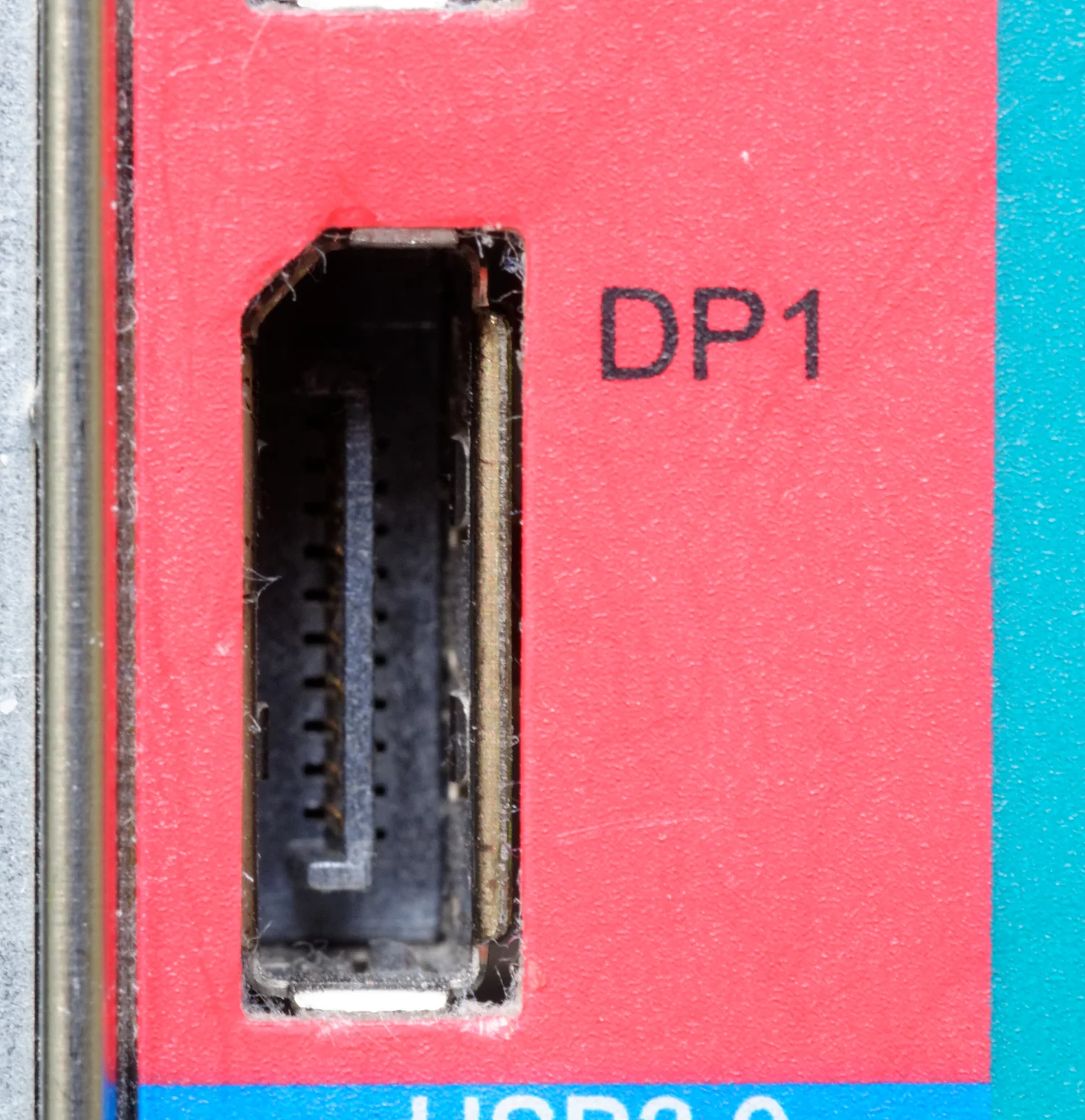
The close view of a DisplayPort jack in Jud McCranie’s photograph appears to show the end of a road. The case of the computer is on one side and an empty socket is on the other. The neighbouring text identifies a way to attach a display; it cannot tell what display will be attached. Once a connection is made, the host can find out rather more. The monitor can supply a description of itself and of the kinds of picture signals it is meant to accept. A cable that mostly seems to carry the picture away from the computer is part of a conversation in which information also comes back.
Extended Display Identification Data, usually called EDID, is one familiar form of that description. A computer may read it when a display first appears or the connection changes. It helps the host decide how to treat the screen and what choices to present to the user. The label in a settings panel that looks like a model name is one visible effect. The list of available resolutions and refresh rates is another. Knowing that lists and labels have a source makes it easier to ask what went wrong when a panel appears and the choices beside it look implausibly sparse.
There is a description before there is a desktop
Imagine putting the same computer in two rooms. One room has a small older monitor. The other has a large display with much finer detail. The computer does not know which one a person will attach simply from knowing the shape of the output port. A set of information read from the display can tell it things about identity and supported picture modes. Some of the data is meant to represent explicit preferences. This lets the computer produce an initial picture without making a person enter specifications from a label on the back of the panel.
A mode is more specific than just the number of pixels a user sees. A display needs information about the rate and timing of the image as well. For instance, a panel might be designed to show a certain preferred mode, while it can also accept lower-resolution inputs and scale them. Recognition of a lower mode is not evidence that it is the native pixel grid of the panel. Likewise, two listed modes with the same horizontal and vertical counts can be separate choices if the timings or refresh rates differ. A settings page may present only some of those distinctions; the receiving device has to work with a more complete description of the signal.
What does the name next to the icon mean? It may derive from a descriptor or other identifier that software can relate to a display. It need not be an exact reproduction of the name on a printed advertisement. A display settings panel that reports a generic name could still be obtaining suitable information about how to send a picture. The opposite can also happen: a name the person recognizes does not on its own establish that all the desired modes were obtained or that the connection can use them.
The picture and the paperwork take different routes
A useful mental model is the exchange of two kinds of traffic. One carries the image that a person expects to see. Another kind allows the devices to learn about the connection and the display. The details of those channels vary with the interface, and the connector alone does not specify the support of every item in the chain. The important distinction is that a display can present a picture without showing its own descriptive data as visible symbols. The data is something read by the host, not a note the display emits by painting it on the screen.
There are good reasons a read might appear to come from somewhere other than the panel. A dock can stand between the host and the screen. A switch can let a person use the same monitor with more than one computer. Linux kernel documentation explicitly discusses a KVM switch that supplies its own set of EDID rather than querying the current display. From the computer's point of view the description is still coming through the connection. It may report what the intermediary has decided to offer. If the display is replaced while the switch presents the same information, the host's settings need not change in the way someone sitting at the desk expects.
Even when the genuine description arrives, the rest of the link still matters. A screen can tell the source that it accepts a mode. The host, cable and anything forwarding the signal all have their own limits. A mode's success also depends on settings, capabilities and the relationship between them. The description helps select sensible choices. It cannot make a link transport a stream it cannot actually carry. This is why a mismatch should be treated as a question about both the list a system read and what the whole connection can do.
An extension can contain information a quick listing leaves out
For interoperability it is useful to have a base description and ways to convey more data. Identity, preferred timings and additional capabilities may be represented by different pieces of display information. The Microsoft hardware guidance explains choices Windows makes among different descriptor formats and extension arrangements. This is a useful reminder that the text a user sees is produced by software that must interpret a description, rather than a direct transcription of every byte the screen sent.
A particular capability need not be visible from the resolution list alone. An application concerned with a special display feature may need more information than the simple width, height and rate a settings screen puts in front. The monitor and host have to agree on where to find it and how to use it. If software cannot interpret one part of the display record, it might still find enough information for an ordinary picture. Saying a computer detected a monitor and saying it recognizes all of a monitor's features describe different circumstances.
There is also an important limit to the meaning of the advertised description. It helps a host decide which signals to offer. A calibrated color profile, for example, concerns how color values relate to light from a particular display under particular settings. Knowing a panel's name does not measure the behavior of the one standing on a desk. Protocol identification, configuration and measurement can each be useful without answering one another's questions.
What to compare when the expected choice disappears
Consider a familiar monitor that offers the expected resolution on a direct connection and appears with fewer choices behind a dock. The comparison does not prove the dock has supplied false information. It narrows the difference to a change in the path or in the devices and settings used with it. The operating system might have read a different description, or its picture link might permit less in the second arrangement. If the monitor shows a picture at a lower mode, that is one piece of evidence. If the display name also changes, that is another. Record them separately before deciding they must have the same cause.
A useful first observation is with one known screen attached through one uncomplicated path on equipment under the user's control. See how the system identifies it and which ordinary modes it offers. Then compare what appears after the intermediary is inserted. One can make the comparison even if the user never reads the raw information inside the descriptor. For equipment managed by someone else, the equivalent is a report that gives the model, connections and the before-and-after options rather than declaring the whole display broken on the strength of a single missing choice.
The Linux documentation lists several possible places for such a failure: hardware detection, the information the monitor supplies and what an intermediary reports, among others. It helps to keep those possibilities distinct. A black screen with no identified display and a recognized monitor whose mode list is incomplete are different starting points. So is a valid list with a temporarily unsuccessful attempt to use one mode. The direct observation helps tell which part needs looking at more closely.
A second ordinary comparison is to make the same observations after the monitor has been disconnected and recognized again. A user interface can continue showing a saved arrangement from an earlier connection, and a name reported there may not be new evidence that the whole conversation worked this time. Record when the information appeared and what was plugged in at that moment. It is easier to explain an unexpected result when an earlier arrangement and a newly established one have not been mixed together.
Read the socket as a point of contact
Unplugged, the output in the photograph says very little about the device that will receive a picture next. Once the path is complete, a small description can let the computer make useful choices on the person's behalf. Those choices are easy to mistake for properties the computer knew in advance, because successful connection replaces the negotiation with a desktop.
The next time a panel appears with a name and a choice of modes, consider the source of those details. The display or something along the connection has offered information, the system has interpreted it, and a separate part of the link has to carry the resulting picture. The little name below a screen icon is one trace of that work. It is most useful when read as a description received through a particular path, with the rest of the path kept in view.