What Happens Before a Key Hits Bottom
The electrical signal, tactile bump and sound from a keyboard can occur at different points in one keystroke. That explains why a switch’s colour tells you less than you might expect.
In this story 7 sections
Press a key slowly enough and at least three different events become apparent. Your finger meets resistance, something registers on the screen, and the key eventually comes to a stop. Some keys make a sound before they stop; others chiefly announce the moment they reach the bottom. Many people learn about switches by comparing the sounds first. That misses the more useful question: at what point in the movement would the keyboard know that a key was pressed?
Travel is not a single distance
On many mechanical keyboards, a spring pushes the key back up and a moving stem changes the state of electrical contacts. The distance from the resting position to the switch’s operating point is called pre-travel. Total travel ends at the physical limit. Imagine two switches with the same total travel: one can send its signal sooner than the other, even if both end the same distance below the starting point. The difference matters if you type with a light touch. Someone who presses to the bottom with every stroke may feel it much less plainly.
The tactile bump is useful for noticing movement without looking at a screen. Its position and size depend on the switch’s mechanical design. Do not assume its crest is exactly where the signal changes. A click is another piece of feedback and can have a similar offset. Keyboard firmware must also read and report the state of the switch, and the computer has to receive and act on that report. None of those delays are reliably captured by a video in which someone presses keys into a microphone.
Compare two keys in the same environment
If you can try a board, start on a short key such as a letter. A long key can have a stabilizer; its construction and extra points of contact change the noise you hear. Try stopping the letter just after it has registered, and then try the same motion without trying to hold back. A sharper sound in the second case may be the cap, stem or case reaching a limit. The top cover, mounting plate, keycaps, desk and even a mat help determine whether that sound stays local or resonates.
For a useful comparison, change only one part of that arrangement. Compare a pair of switches in otherwise similar locations on the same compatible board, or keep the board fixed and move it between a hard desk and a soft mat. A single switch in a small tester can be a good way to feel a spring, but it has almost no way to reproduce the sound of the board you have at home. Record what you noticed before searching for a switch name. “I felt the bump early” retains more information than “this one is better.”
A label has a manufacturer attached
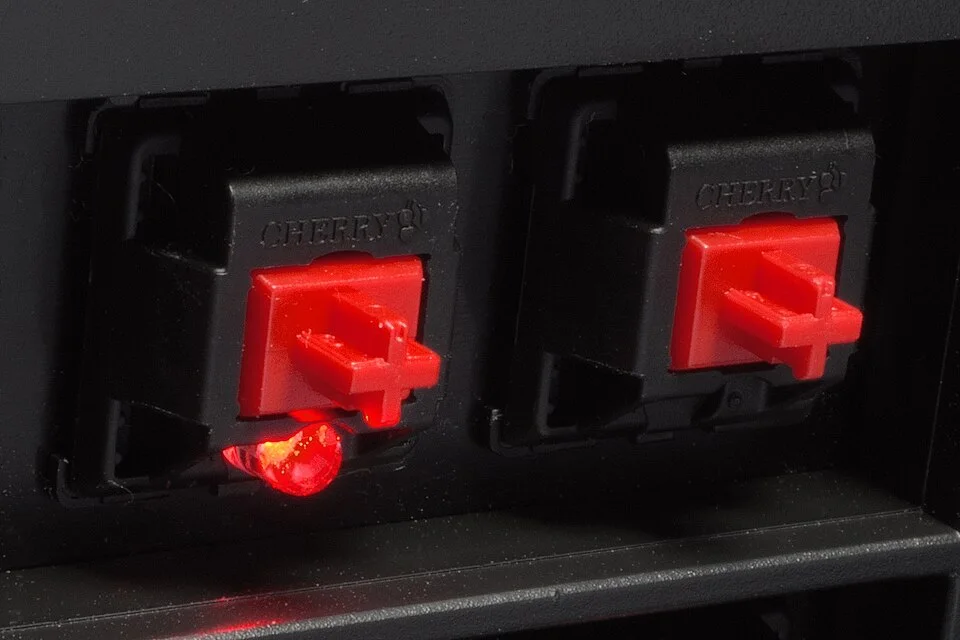
Some makers use red, brown and blue to distinguish broad switch families, but colour does not establish an industry-wide force curve or sound signature. If a listing gives more information, look at pre-travel, total travel, operating force and the mounting arrangement before thinking about finish or colour. Compare the measurements with your own movement, not just with one another. The difference between two numbers in a chart matters only if it changes the part of the stroke you actually use.
Read a force graph from left to right and back again
A force graph puts distance along the horizontal axis and the force needed to move the switch along the vertical axis. Put a finger on the starting point of the downstroke. A switch advertised as linear can still get heavier as you push; linear in this context ordinarily distinguishes a smooth action from one with a deliberately placed bump. It does not mean constant resistance. On a tactile switch, the line may climb to a small peak and then fall even while the key moves downward. The peak and the drop that follows are a good place to look for the part of the stroke you actually notice.
Pay attention to which number a listing quotes. A force associated with the operating point cannot tell you by itself how much resistance you must overcome to get there. Two springs can feel similar in one part of the graph and quite different near the lower end. A person who likes to rest fingers on the letters might notice resistance early in the stroke; someone who consciously avoids bottoming out might care more about the transition around registration. The same number can sound attractive for two different reasons. It helps to identify which feature must change for the preference to show up.
When a chart includes separate curves for the downstroke and the return stroke, try mentally tracing the return after reaching the bottom. A switch does not always reset at exactly the same place it first operated. A typist making one ordinary full stroke will not usually have to think about that. Repeating a key with a very small motion near the operating point makes it easier to notice why a switch may need a little more release before the next stroke can register. Keep this test apart from holding a key down. A character repeating because an operating system recognizes a held key says very little about how the mechanical switch resets.
Distinguish the switch shape from other technologies
Some keyboards detect position by means other than metal contacts. Optical designs can use a change in how a light path is interrupted, and a magnetic design may sense how the field from a magnet changes with movement. This article’s explanation of a signal from contact applies to common mechanical contact switches. The wider distinction between physical motion and the point at which an input is reported still holds. A marketing term such as mechanical can describe parts of the movement without settling how the device detects a key.
If a board offers a configurable point at which it reports a press, do not infer that a new setting changes the spring. Start with a document in which a mistake does not matter. Change one point, type a few lines at a normal rate and see whether it changes errors or just the experience of testing slowly. Put the setting back if you cannot distinguish the results. Many keyboards provide no way to configure such a point; compatibility and the movement of the switch are decisions made before it reaches the desk. People comparing products should make sure they are comparing features the specific device actually exposes.
There is a similar distinction between fitting a switch in a hole and getting it to work. A replacement must match the design of the board and the way it accepts a switch. Pins, mounting parts and sensing methods are reasons two similar-looking objects may not be interchangeable. The fact that a keycap can sit on two stems says little about compatibility at the other end. Check the documentation for that socket and avoid trying to force a switch into an unfamiliar mount. A board meant for soldered switches does not acquire a removable socket just because its keycaps come off.
Keep the typing conditions in the comparison
Try making three notes before changing hardware. First, describe a moment when the keyboard bothers you: a quiet call, a paragraph typed quickly, a key pressed repeatedly, or an accidental touch while reading. Second, describe what happened in terms someone else could observe. A letter appeared twice, the desk shook at bottom-out, or the click was distracting even though the key registered correctly. Third, name the smallest thing you can change to see whether your initial explanation survives. Maybe move the board away from a hard surface or record whether a problem happens when using another key. This is how a personal complaint becomes an observation that can guide selection.
Sound comparisons need their own controls. A phone at the back of one board and in front of another is listening to different parts of the case. Automatic recording levels can erase some differences and exaggerate others. The keyboard’s sound in a close microphone can be satisfying while its noise across a shared room is still unpleasant. If that shared room is the issue, ask how it sounds from the next chair. If the typist’s experience is the issue, make the comparison while typing the same text at roughly the same speed. The test should resemble the reason you are doing it.
Also pay attention to what the comparison leaves out. A full session puts the hands on several rows and uses longer keys with stabilizers. An isolated sample can give an honest account of one spring while saying very little about whether you like the whole instrument. A different keycap profile can make the motion feel altered through the position of the fingers even though the mechanism below it has not changed. If you can borrow or try the complete keyboard, a few minutes of ordinary writing tells you something a tray of samples cannot.
Decide which evidence to keep
A working keyboard gives you continuous feedback. It is possible to prefer one key for the entrance to the stroke, another for what it feels like at the bottom, and a quieter board altogether for a shared desk. Keep the note that connects a specific change to a specific result. “The operating point felt earlier and I accidentally typed more” is a useful outcome whether the key is popular or not. The goal of understanding the switch is to recover those decisions from words that tend to collapse them into a colour.